Borderlands 3 Eridium Boost
Eridium Boost
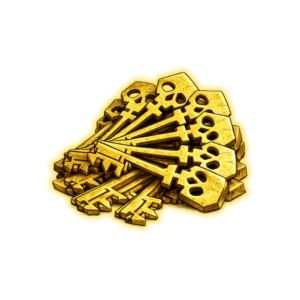
Boss Services Borderlands 3 Eridium Boost — drop a stack of Eridium on your character via a quick co-op lobby invite so you can buy from Crazy Earl at the Sanctuary 3 black market, anoint legendaries at the Anointment table, and keep the Eridium slot-machine rolls going. Pick 9,999 / 999,999 / 9,999,999.
What you get
- Three tiers: 9,999 / 999,999 / 9,999,999 Eridium dropped on your character.
- Crazy Earl's black-market vending machine — SDUs, rare gear, event-exclusive items.
- Anointment table — re-anoint legendaries for endgame builds.
- Eridium-only slot machine on Sanctuary 3 for top-tier weapon rolls.
- Cross-platform via SHiFT.
How to order — step by step
- 1 You buy the service on the right and check out (Visa, Mastercard, Apple Pay, Google Pay, Stripe, crypto).
- 2 You send us your SHiFT ID through your order ticket on the website. Walk-through for finding it is in the Requirements section below — takes about 30 seconds in-game.
- 3 You add us as a SHiFT friend using the SHiFT ID we post in your ticket, and we add you back. (Or vice-versa — either order works.)
- 4 We invite you to our BL3 game from the in-game Social menu. You accept the invite and join our session.
- 5 We drop the items at the spawn point in our game. Takes a few minutes. You pick them up on your character, leave the lobby, and you're done — within 24 hours of ordering.
What you need before ordering
- Borderlands 3 installed on PC (Steam or Epic), PSN, or Xbox.
- Your SHiFT ID — the cross-platform Gearbox friend code that works for in-game invites. Walk-through below.
- A character to receive the drop — load into the game on the character you want the items on before joining our lobby.
- That's it. Just your SHiFT ID. You stay signed into your own account on your own console/PC the whole time.
How to find your SHiFT ID (about 30 seconds)
In-game (works on every platform):
- Launch Borderlands 3 and load into any character.
- Open the Social menu:
- PC: press
O(default keybind). - PSN: press the Touchpad.
- Xbox: press the View button (the one to the left of the Xbox button).
- PC: press
- Click the SHiFT tab at the top of the Social menu.
- Your SHiFT Display Name + 4-character tag appears at the top — looks like
VaultHunter42#A3B7. That's your SHiFT ID. - Copy it exactly (the # and the 4 characters after matter) and paste it into your order ticket on this website.
Or via web browser:
- Go to shift.gearboxsoftware.com.
- Sign in with the same Gearbox/SHiFT account you use in BL3.
- Click your username in the top-right.
- Your SHiFT Display Name + tag are shown on the profile page.
What is SHiFT?
SHiFT is Gearbox's official cross-platform friend system — one SHiFT ID works whether you're on PC, PSN, or Xbox. It's the standard Gearbox-supported way to invite players to your game across platforms, which is why it's the only thing we ever need from you.
FAQ
What's a SHiFT ID and why do you need it?
SHiFT is Gearbox's official cross-platform friend system for Borderlands 3. Your SHiFT ID lets us add you as a friend and invite you to our game session across any platform. It's the only piece of info we need from you. The walk-through for finding it is in the Requirements section above.
Is my account safe?
Yes. You stay signed in the whole time on your own console/PC, on your own character — we're just another player in your co-op session for a few minutes.
Will I get banned?
No boosting service can promise zero risk. We reduce risk by using the delivery method described on this page and limiting the service to what you ordered. If we cannot complete the order, our refund policy applies.
Which platforms do you cover?
PC (Steam and Epic), PSN, and Xbox (One / Series X|S). Because SHiFT is cross-platform, we don't need you to tell us your platform — we'll invite you across whatever you're on.
How long does it take?
Every BL3 order is delivered within 24 hours of receiving your SHiFT ID. The actual lobby drop itself takes a few minutes once you join our game.
What if I can't find my SHiFT ID?
Reply in your order ticket and we'll walk you through it. Most players find it in under a minute using the in-game Social menu.
Do you offer refunds?
Yes — full refund before the lobby starts, partial mid-flight. See Refund page.
Read verified customer reviews
See recent feedback from completed Boss Services orders.
Read all reviews