Apex Legends

Apex Legends 4K Damage Badge

★★★★★ 4.9 · 2,944 reviews & vouches Fast Deliveries Account Safety Prioritized Money-back guarantee
Apex Legends · Badges 4K Damage Badge
4K Damage Badge
Estimated start
24 hours
Play style
Recovery
Platforms
PSNXBOX
Guarantee
Money-back

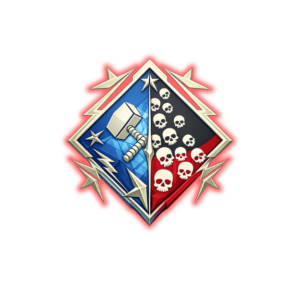
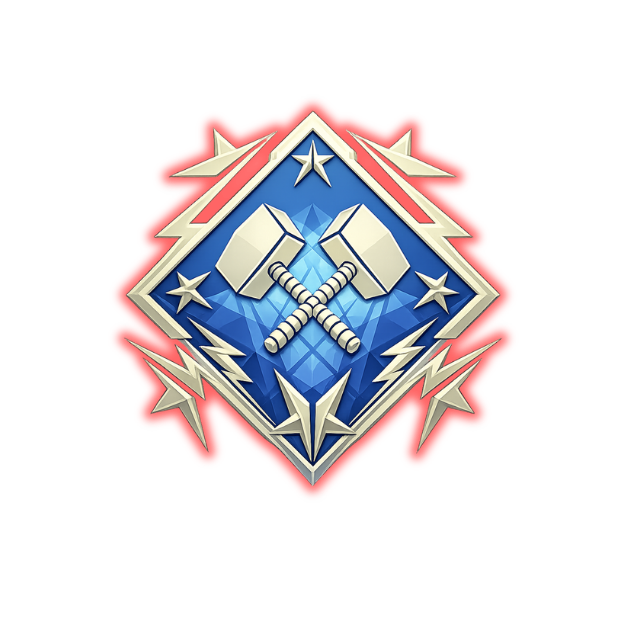
Boss Services Apex Legends 4K Damage Badge — four thousand damage in one match, stamped on the legend of your choice. The 4K is the badge lobbies actually check for: proof of a match where every fight was taken and won. We earn it; your banner wears it.

What you get

  • The 4K Damage Badge earned On the legend you name in the order form.
  • Everything earned during the session stays Kills, XP, and any other badges that land.
  • Steam, PSN, and Xbox via Recovery — typically delivered within 1–2 days.

What you need before ordering

  • Apex Legends on Steam, PSN, or Xbox.
  • Your account sign-in — we strongly recommend a temporary password just for the service; change it back the moment we're done.
  • Xbox: a BYOM recovery email linked to the account. Steam / PSN: your backup codes. Walk-throughs below.
  • You don't need to be online while the service runs.

Xbox — link a BYOM recovery email (about 3 minutes)

  1. Go to byom.de and type any word — for example yourgamertag123. Your BYOM email is yourgamertag123@byom.de; no sign-up needed.
  2. Sign in at account.microsoft.com/security → Advanced security options → Add a new way to sign in or verify → Use a different email, and enter the BYOM address.
  3. Read the confirmation code on byom.de, paste it in, and send us the account email + temp password + BYOM address in the order form. Remove the BYOM email after delivery.

Steam — backup codes (about 2 minutes)

  1. Steam Settings → Security (or the Steam Guard section of the mobile app) → Get Backup Codes.
  2. Send one or two codes with your order — generating new codes afterward invalidates the old ones.

PSN — backup codes (about 2 minutes)

  1. On your PlayStation or at the PlayStation account site: Settings → Account Security → 2-Step Verification → Backup Codes.
  2. Send one or two codes with your order — you can regenerate the set afterward to invalidate them.

How to order — step by step

  1. You prepare your account access — Xbox accounts add a BYOM recovery email; Steam and PSN accounts grab their backup codes (walk-throughs in the Requirements section below — about 3 minutes).
  2. You buy the service on the right and check out (Visa, Mastercard, Apple Pay, Google Pay, Stripe, crypto).
  3. You send your details through the encrypted order form right after purchase: platform, account email or Steam ID, a temporary password, and your BYOM email or backup codes.
  4. We sign in and complete the service — verification is covered up front, so you don't need to be online.
  5. We sign out and notify you. You change your password back, remove the recovery method we used, and confirm delivery on your order page. Done.

FAQ

Which legend does the badge go on?

Your choice — name the legend in the order form and the badge is earned on that legend's banner.

Do I keep everything earned during the matches?

Yes — XP, kills, and anything else earned along the way stays on your account.

Is my account safe?

Yes. Use a temporary password for the service and change it back the moment we're done, then remove the BYOM email (Xbox) or regenerate your backup codes (Steam/PSN). Credentials are encrypted in transit and deleted from our system when your order closes.

Will I get banned?

No boosting service can promise zero risk. We reduce risk by using the delivery method described on this page and limiting the service to what you ordered. If we cannot complete the order, our refund policy applies.

Which platforms do you cover?

Steam, PSN, and Xbox.

How long does it take?

Most orders start within 24 hours of receiving your sign-in details. Completion depends on the service — your booster posts an ETA in your order ticket before starting.

Do you offer refunds?

Yes — full refund before the service starts, partial mid-flight. See Refund page.

Total$0.00

Recent Boss Services customer reviews

Feedback from Boss Services customers.

2,565 positive vouches on Discord 15K+ in our Discord community
K
kevin.memeqc
Website · October 23, 2026
★★★★★

“Pretty fast delivery”

N
Nobody__actually
Website · October 21, 2026
★★★★★

“It went perfectly well, smooth asf, no error or nothing. I recommend this for sure y'all”

J
jackmiller5369
Website · October 14, 2026
★★★★★

“Fast and excellent communication”

G
garrettchapman27
Website · October 13, 2026
★★★★★

“great communication”

J
jackmiller5369
Website · October 13, 2026
★★★★★

“Amazing. Quick and excellent communication”

A
alex04lua
Website · October 6, 2026
★★★★★

“fast and efficient”

A
alex04lua
Website · October 6, 2026
★★★★★

“fast and efficient”

J
jack.bryant.1810
Website · October 4, 2026
★★★★★

“Perfect service and fast delivery”

M
mikel73195
Website · October 1, 2026
★★★★★

“Easy to set up, Love Boss Lobbies best service out there, great communication, very understanding and will work with you on deals.”

C
camo
Website · September 29, 2026
★★★★★

“Best service as ever! Hooked me up instantly with no wait”

S
savage
Website · September 21, 2026
★★★★★

“great i will be back helps so much”

H
hernan.h300
Website · September 20, 2026
★★★★★

“10/10 fast always”

B
breighton2004
Website · September 19, 2026
★★★★★

“Was quick and to the point”

N
Noel
Website · September 19, 2026
★★★★★

“Fast and efficient, I really love Boss Services!”

N
Nas
Website · September 18, 2026
★★★★★

“it took a while to get in, but 10/10 service would recommend!”

M
markallen1207
Website · September 15, 2026
★★★★★

“Good customer service”